What is Image Convertor
Discover what an image converter is, how it works, and why converting image formats like JPG, PNG, WebP, and AVIF improves quality, compatibility, and file size.
What Is an Image Converter?
A complete Beginner's Guide.
Let's suppose you're trying to upload your resume photo to a job portal at 11 PM, the deadline is in an hour, and the site keeps throwing back the same error "unsupported file type." You didn't do anything wrong. Your phone just saved the photo in a format the website has never heard of.
That one annoying moment is basically the entire reason image converters exist.
So, What Exactly Is an Image Converter?
An image converter is really just a translator. Not for language but for file format. It takes a picture saved one way (say, a HEIC photo straight off an iPhone) and rewrites it in a format another device, app, or website actually understands (like JPG).
Here's the part most articles skip: the picture itself never changes. What changes is the instruction set behind it the way pixels, color values, and transparency data are packed into the file. JPG packs things tightly and throws away a little detail to save space. PNG keeps everything, including see-through backgrounds, but takes up more room. An image converter just repackages that same visual information so it "speaks" the format a different system expects.
Think of it like currency exchange. Twenty dollars and roughly eighteen euros can buy you the same coffee same value, different notes in your wallet. Your photo works the same way across formats.
The Real-Life Reasons People Reach for a Converter
Nobody wakes up thinking "today I'll convert an image." It's always a reaction to a specific, mildly annoying situation. Here are the ones that come up constantly:
"It won't let me upload it." This is the classic one. Government portals, older CMS platforms, and some job application sites are notoriously picky. I personally experience this a lot of times. Many still only accept JPG or PNG, and reject anything else outright, including the HEIC format modern iPhones save photos in by default.
"The file is too heavy to send." Ever tried emailing five vacation photos and got a "message too large" bounce-back? High-resolution PNGs and RAW camera files are massive. Converting to a compressed JPG can shrink a file by 70-80% without most people noticing a quality difference.
"I need the background gone, not white." Logos, product cutouts, and overlay graphics need transparency — something JPG simply cannot do. If you've ever pasted a "transparent" logo onto a slide and gotten an ugly white box instead, the file was the wrong format from the start.
"My website is loading like it's 2009." This one's less obvious but huge for anyone running a blog, store, or portfolio. Bulky, uncompressed images are one of the single biggest reasons websites load slowly — and slow sites rank worse on Google and lose visitors within the first few seconds.
"The printer is butchering my photo." Screens and printers don't read color the same way. Files optimized for web display sometimes come out dull or oddly tinted when printed, which is why professionals often convert to TIFF or a print-ready format before sending anything to a print shop.
How Does the Conversion Actually Happen?
Here's the honestly satisfying part the process is far simpler than people assume.
Reading the file. The tool opens your image and decodes the raw data — every pixel's color, position, and any transparency or metadata attached to it.
Rebuilding it in a new format. Using that same information, it re-encodes the image following the new format's rules — compressing it (JPG), preserving transparency (PNG/WebP), or converting it into scalable shapes (SVG).
Outputting the result. You get a new file that looks the same to your eyes but is now structured completely differently under the hood.
This is exactly the kind of everyday hassle a tool like Imaglora is built to remove — you upload the file, pick the format, and it handles the encoding and compression decisions for you instead of you having to understand any of this manually.
Mistakes People Make Without Realizing It
This is the part most beginner guides never mention, and it's exactly where things usually go wrong:
Converting a JPG to PNG expecting better quality. Once detail is lost during JPG's compression, converting to PNG afterward won't bring it back — you're just wrapping already-reduced quality in a bigger file.
Using PNG for every photo "just to be safe." This bloats file sizes for no reason. PNG is for graphics and transparency, not everyday photography.
Ignoring image dimensions during conversion. Format isn't the only factor — a 4000px-wide photo converted to JPG is still a heavy file. Resizing alongside converting matters just as much.
Assuming all converters preserve quality equally. Some aggressive online tools over-compress by default, leaving images looking noticeably worse. A good converter lets you control the compression level instead of guessing.
So if you want to convert check Imaglora now.
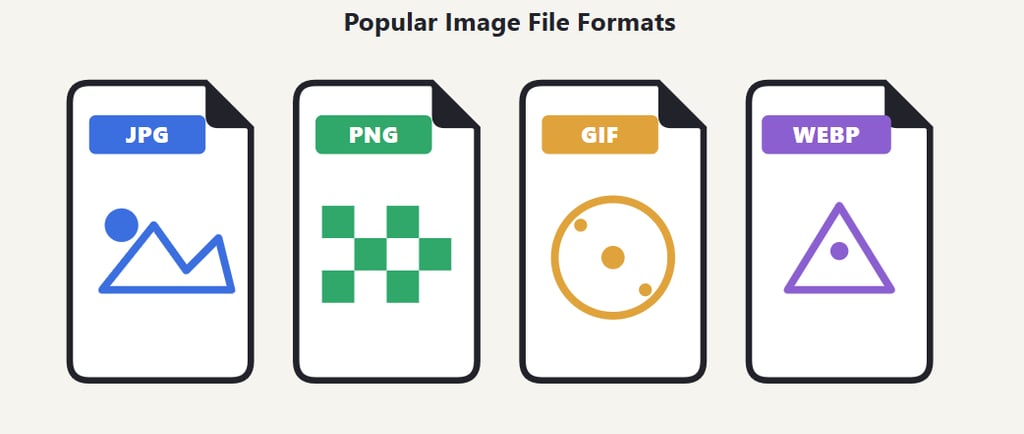
Which Format Actually Fits Your Situation?
The Real Benefits
Time saved — no manual re-saving through complex editing software.
Fewer rejected uploads — compatibility stops being a guessing game.
Lighter storage load — your phone, laptop, or cloud drive breathes easier.
Faster-loading pages — better user experience and better SEO in one move.
Controlled quality trade-offs — you decide how much size vs. sharpness you're giving up,
instead of a website deciding for you.
Zero learning curve — no design software knowledge required, and most tools are free.
If you'd rather skip the manual guesswork entirely, Imaglora lets you upload an image and get it back in the exact format you need in seconds, without installing anything.
Final Thoughts
An image converter isn't some technical tool reserved for designers basically it's the quiet fix behind dozens of small daily frustrations: a rejected upload, a bounced email, a blurry printout, a slow-loading page. Once you understand what's actually happening behind the scenes — reading, re-encoding, and rebuilding your file in a new format — the whole process stops feeling like a mystery and starts feeling like common sense.
And when you're ready to put it into practice, Imaglora makes it as simple as upload, choose your format, and download no guesswork required.